Export Models
This article is an abridged combination of Projects and Models Management and Data Model Generation intended to help users export their models from PHENOM.
Select the Model
The unabridged article can be found here: Projects and Models Management#Projects Management.
- Left-Click the Manage Models button.

- Find the desired project in the project listing.
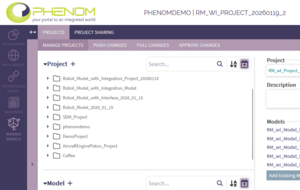
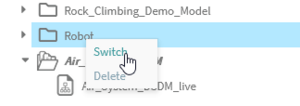
- Right-click on the project and click "Switch" to activate that project.
- Verify the intended model is active in the PHENOM header.



Export the Data Model
The unabridged article can be found here: Data Model Generation.
- Left-Click the Generate Mode button.


- Ensure the following selections:
- Filter By: None
Generate a FACE Model
This will produce the canonical form of your model containing only official FACE model content. This format is compatible with other modeling tools.
- Ensure the following selections:
- Export Type: FACE (.face)
- Export CDM Queries: unchecked
- Export LDM Queries: unchecked
- Recover Retention Artifacts: unchecked
- Exclude Deprecated Content: CHECKED
- FACE Version: 3.1/3.2 (Latest Version Recommended)
- Left-Click the GENERATE button and wait for PHENOM to generate your model. The download will start automatically.
Generate a Skayl Model
The Skayl model format is a proprietary format that captures additional model content not fully specified by the FACE Technical Standard. This format is recommended if you need to capture Integration Model content or if you plan to load the model into PHENOM again at some point in the future.
- Ensure the following selections:
- Export Type: Skayl (.skayl)
- Exclude Deprecated Content: CHECKED